
Redis基础概念
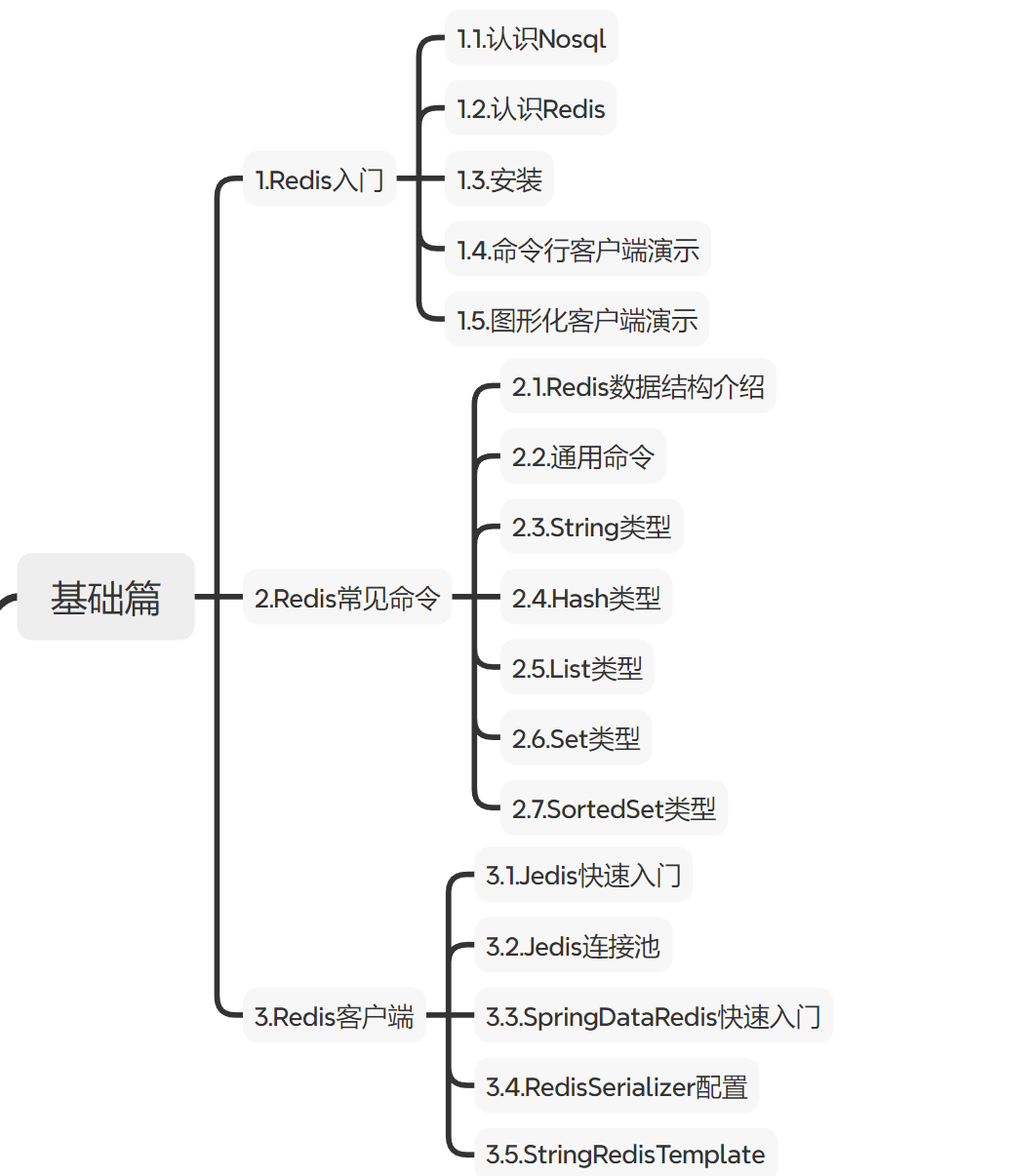
认识
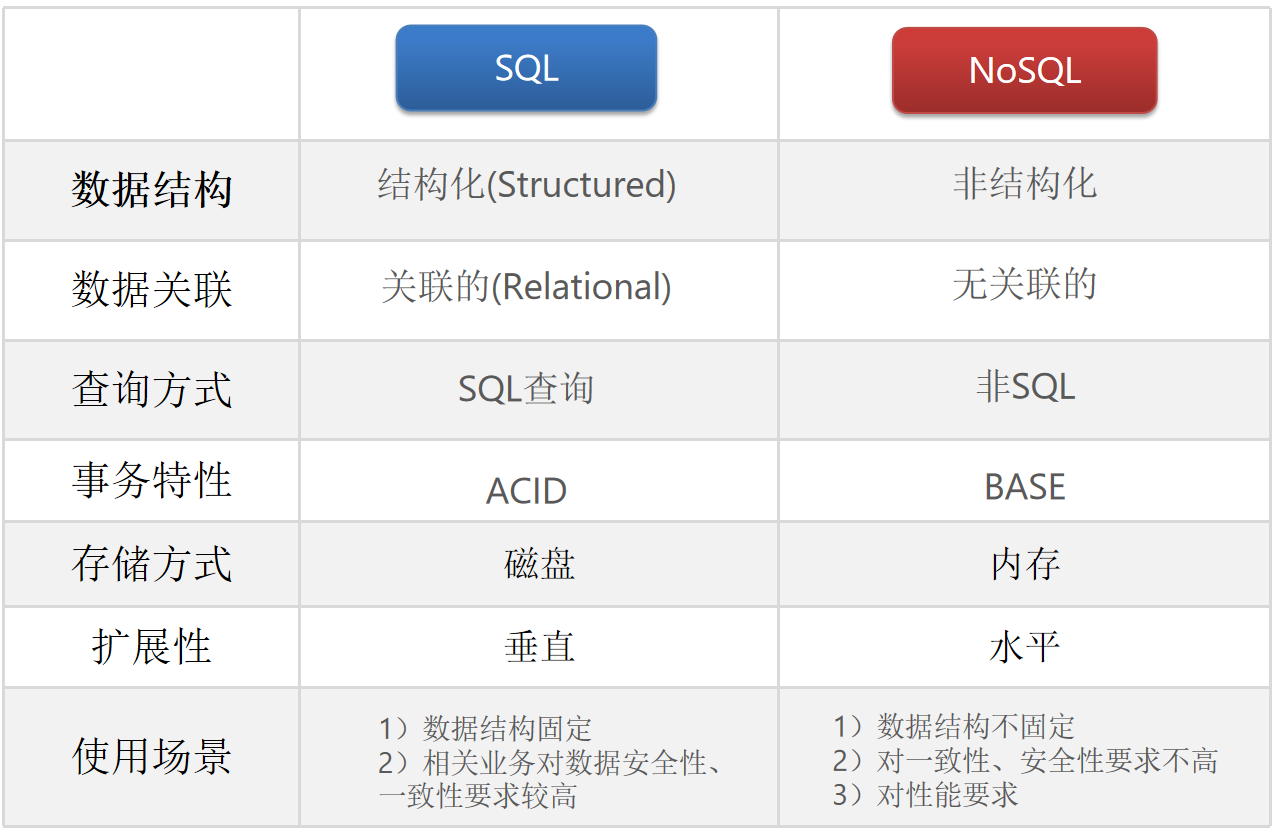
属于NoSQL
常用:
redis-cli:启动redishelp +指令:查询指令的用法keys:查看符合模板的所有keydel:删除指定的keyexists:判断key是否存在expire:设置有效期,有效期到key删除ttl:查看key的剩余有效期
数据结构类型:
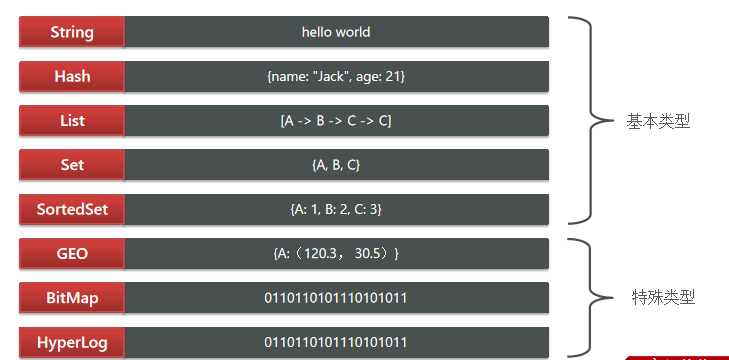
key结构 项目名:业务名:类型:id
- String
- Hash
- List
- Set
- SortedSet:可排序的Set,包含score属性,可进行排序
客户端
Jedis
以Redis命令作为方法名称,学习成本低,简单实用。但是Jedis实例是线程不安全的,多线程环境下需要基于连接池来使用
https://github.com/redis/jedis
-
引入依赖
1
2
3
4
5
<dependency>
<groupId>redis.clients</groupId>
<artifactId>jedis</artifactId>
<version>3.7.0</version>
</dependency> -
创建对象,建立连接
1
2
3
4
5
6
7
8
9
10
11
private Jedis jedis;
void setUp() {
// 建立连接
jedis = new Jedis("192.168.150.101", 6379);
// 设置密码
jedis.auth("123321");
// 选择库
jedis.select(0);
} -
Jedis使用
1
2
3
4
5
6
7
8
9
10
11
12
13
14
void testString() {
// 创建 Redis 连接
try (Jedis jedis = new Jedis("localhost", 6379)) {
// 插入数据(SET)
String result = jedis.set("name", "张三");
System.out.println("result = " + result);
// 获取数据(GET)
String name = jedis.get("name");
System.out.println("name = " + name);
}
} -
释放资源
1
2
3
4
5
6
7
void tearDown() {
// 释放资源
if (jedis != null) {
jedis.close();
}
}
连接池
1 | public class JedisConnectionFactory { |
SpringDataRedis
SpringData:Spring中数据操作的模块,包含对各种数据库的集成
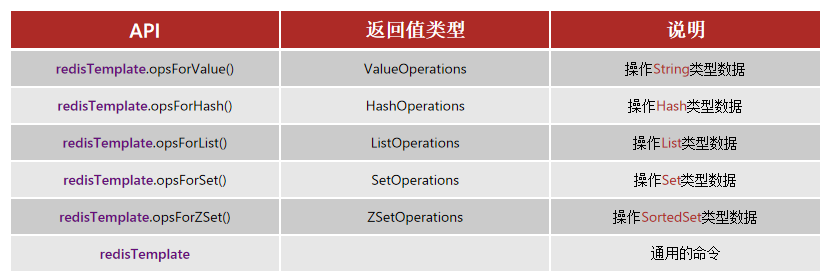
https://spring.io/projects/spring-data-redis
-
引入spring-boot-starter-data-redis依赖
1
2
3
4
5
6
7
8
9
10
11
<!--Redis依赖-->
<dependency>
<groupId>org.springframework.boot</groupId>
<artifactId>spring-boot-starter-data-redis</artifactId>
</dependency>
<!--连接池依赖-->
<dependency>
<groupId>org.apache.commons</groupId>
<artifactId>commons-pool2</artifactId>
</dependency> -
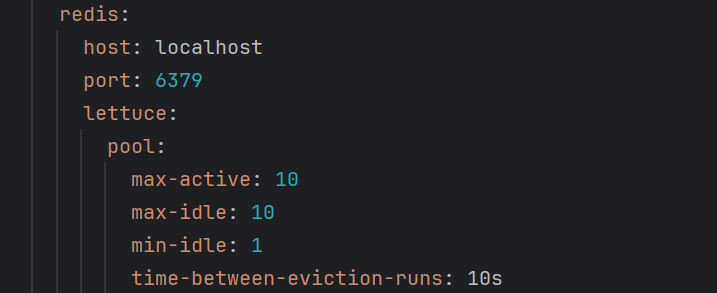
yml配置redis
-
注入RedisTemplate
1
2
3
4
5
6
7
8
9
10
11
12
13
14
15
16
private RedisTemplate redisTemplate;
public class RedisTest {
private RedisTemplate redisTemplate;
void testString() {
// 插入一条 string 类型数据
redisTemplate.opsForValue().set("name", "李四");
// 读取一条 string 类型数据
Object name = redisTemplate.opsForValue().get("name");
System.out.println("name = " + name);
}
}
序列化方式
-
自动化
-
自定义RedisTemplate
-
修改RedisTemplate的序列化器为GenericJackson2JsonRedisSerializer
1
2
3
4
5
6
7
8
9
10
11
12
13
14
15
16
17
18
19
20
21
22
23
24
public RedisTemplate<String, Object> redisTemplate(RedisConnectionFactory redisConnectionFactory)
throws UnknownHostException {
// 创建 RedisTemplate
RedisTemplate<String, Object> redisTemplate = new RedisTemplate<>();
// 设置连接工厂
redisTemplate.setConnectionFactory(redisConnectionFactory);
// 设置序列化工具
GenericJackson2JsonRedisSerializer jsonRedisSerializer =
new GenericJackson2JsonRedisSerializer();
// key 和 hashKey 使用 string 序列化
redisTemplate.setKeySerializer(RedisSerializer.string());
redisTemplate.setHashKeySerializer(RedisSerializer.string());
// value 和 hashValue 使用 JSON 序列化
redisTemplate.setValueSerializer(jsonRedisSerializer);
redisTemplate.setHashValueSerializer(jsonRedisSerializer);
return redisTemplate;
}
-
-
省内存
-
使用StringRedisTemplate
-
写入Redis时,手动把对象序列化为JSON
-
读取Redis时,手动把读取到的JSON反序列化为对象
1
2
3
4
5
6
7
8
9
10
11
12
13
14
15
16
17
18
19
20
21
22
23
24
25
26
27
28
29
30
public class RedisTest {
private StringRedisTemplate stringRedisTemplate;
// JSON工具
private static final ObjectMapper mapper = new ObjectMapper();
void testStringTemplate() throws JsonProcessingException {
// 准备对象
User user = new User("虎哥", 18);
// 手动序列化
String json = mapper.writeValueAsString(user);
// 写入一条数据到redis
stringRedisTemplate.opsForValue().set("user:200", json);
// 读取数据
String val = stringRedisTemplate.opsForValue().get("user:200");
// 反序列化
User user1 = mapper.readValue(val, User.class);
System.out.println("user1 = " + user1);
}
}
-
项目概况
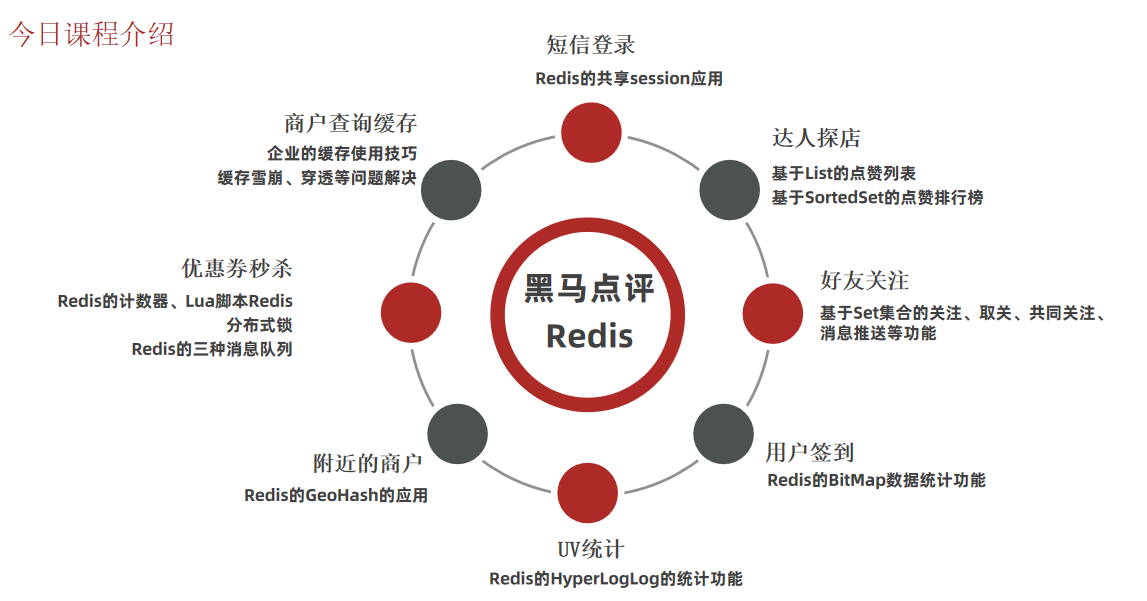
项目包含的类
例:
- FollowController:接口入口,前台接单
- FollowService:业务规范,菜单
- FollowServiceImpl:业务实现,厨师
- FollowMapper:数据库操作,仓库管理员
- Follow:数据库实体,菜品数据